
How to Run a Data Center Relocation Risk Assessment That Actually Prevents Downtime
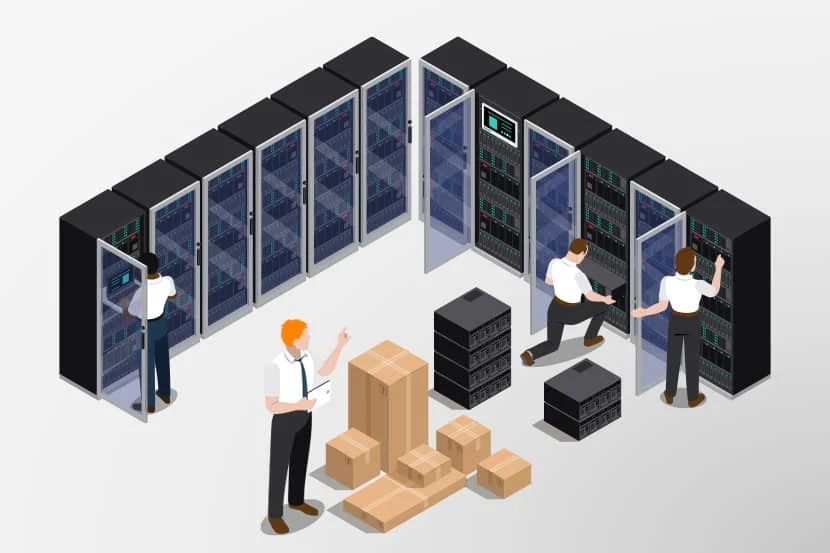
The hardware made it to the new building. You power the racks back on, and a third of them won’t boot. That is the nightmare every IT director is trying to avoid, and it almost never comes from one dramatic failure. It comes from a stack of small, predictable risks that nobody mapped before the trucks rolled. A data center relocation risk assessment is how you find those risks while you can still do something about them, instead of discovering them at 2 a.m. with a war room full of people staring at dead servers.
This is not a box-checking exercise for the project binder. Done right, it changes how you sequence the move, who you staff, what you insure, and how much downtime you actually take. Here is how to run one that holds up.
Why a Move Carries More Risk Than People Expect
A data center is a tightly coupled system. Power, cooling, cabling, network, and physical layout all depend on each other, and they were tuned over years for one specific room. The moment you start unracking, you break those dependencies and have to rebuild them somewhere new, often under a deadline, sometimes in a building that was never designed for the load you’re bringing.
That’s why the failures cluster around transitions: lifting equipment off the floor, moving it through doorways and freight elevators, the ride between sites, and the cold start at the destination. Each transition is a chance for something to shift, drop, overheat, or simply not come back the way it left.
Split Your Risks Into Two Buckets
The cleanest way to think about a move is to separate what affects the equipment directly from what affects everything around it. Both buckets can take you down, but they call for different owners and different fixes.
Functional Risks: The Gear Itself
These are the failures tied to the hardware and how it operates. They tend to be the ones IT teams already lose sleep over:
- Servers or storage arrays that don’t power back on after the move
- Drives that fail on spin-up after sitting idle and getting jostled in transit
- Rack hardware, rails, or PDUs that bend, crack, or short during handling
- Cabling that gets mislabeled, swapped, or damaged during teardown
- Infrastructure at the new site that doesn’t match the old environment, including different power phases, circuit capacity, or cooling output
Non-Functional Risks: Everything Around the Gear
These are the indirect threats. They have nothing to do with whether a server works and everything to do with whether it arrives intact and on schedule:
- A freight elevator, loading dock, or doorway too small for fully loaded racks
- Raised access flooring that cracks under concentrated rolling weight
- Weather that closes roads or delays a tightly timed cutover window
- A vehicle breakdown that strands sensitive equipment in unconditioned air
- Crews who have moved furniture but never touched live infrastructure
- Chain-of-custody gaps that create security and compliance exposure for regulated data
A Six-Step Assessment You Can Actually Follow
A useful assessment is sequential. You identify what can go wrong, judge how bad it would be, decide what to do about it, write it down, and then watch it through execution. Here is the working version.
1. Inventory and Identify Functional Risks
Start with a real asset list, not last year’s spreadsheet. Walk the room. Tag every device, capture its dependencies, and flag anything fragile, end-of-life, or business-critical. The goal is to know exactly what is at stake before you ask what could happen to it.
2. Identify Non-Functional Risks
Now survey the path. Measure doorways, elevators, ramps, and dock heights at both buildings. Confirm floor load ratings. Map the driving route and note bridges, construction, and traffic patterns. Check the calendar against weather and against your own business cycles. The move that wrecks a quarter is the one scheduled during your busiest week.
3. Score Each Risk by Impact and Likelihood
Not every risk deserves equal attention. Rate each one on how likely it is and how much damage it would do. A rare event that takes down your core banking platform outranks a common annoyance that delays a test server. This is where you decide what gets a budget and a backup plan versus what you simply accept.
4. Build a Mitigation Strategy for Every Risk
Each risk that clears your threshold needs a named response. Mitigation is not a vague intention; it’s a concrete action with an owner:
- Full backups verified and a tested rollback plan before a single cable is pulled
- Anti-static, shock-rated packing and air-ride transport for sensitive arrays
- Floor protection and load distribution where raised flooring is in play
- Pre-staged spare rails, power cords, and transceivers for the inevitable small breakage
- A destination readiness check confirming power, cooling, and network are live before equipment arrives
5. Document Everything in One Place
Pull the risks, scores, owners, and mitigations into a single runbook that everyone works from move day. Photograph rack layouts and cable maps before teardown. Label both ends of every cable. When something goes sideways at 3 a.m., the team that has a documented plan recovers in minutes; the team relying on memory loses hours.
6. Execute, Monitor, and Adjust
A plan on paper is not a plan that worked. Assign a coordinator to track progress against the runbook, watch conditions in real time, and make the call when reality diverges from the script. Validate each system as it comes back online rather than waiting to discover problems all at once.
Where Most Assessments Quietly Fail
The gaps are rarely exotic. They’re the obvious things nobody owned:
- Stale inventory. You can’t assess risk for assets you didn’t know were in the room.
- Skipping the destination. Half the failures show up at the new building because power and cooling weren’t truly ready.
- Underestimating the crew. General movers don’t know to keep a storage array upright, climate-controlled, and handled like the irreplaceable asset it is.
- No rollback. Hope is not a recovery plan. If you can’t go back, you’ve bet the business on everything going right.
Bring in People Who Have Done This Before
A risk assessment is only as good as the experience behind it. Crews that move data centers for a living already know which doorway will be a problem, which floor needs protection, and how to package gear so it survives the ride. Since 1997, Flood Brothers has handled commercial relocations with in-house, vetted employee crews, more than 500,000 square feet of secure, climate-controlled warehousing for staging, and around-the-clock availability for cutover windows that can’t touch business hours. That combination is what turns a risk assessment from a document into a clean, on-time move.
Ready to protect your uptime on your next move? Explore our data center relocation services or request a free project review and we’ll help you map the risks before they become outages. Questions? Call us anytime at (866) 528-9137.
Keep Reading

October 6, 2026
Server Room Relocation: A Practical Guide for Lean IT Teams
You do not need an enterprise migration team to move a server room well. You need a sequence, the right transport gear, and honest…
Read more →
April 14, 2025
IT Relocation Without the Downtime: How to Move Your Tech and Keep Business Running
Moving your servers and network is where most relocations go wrong. Here's how professional IT relocation services protect your data and keep downtime measured…
Read more →
December 4, 2024
Why Medical and Tech Equipment Needs Specialized Relocation
An MRI machine or a rack of production servers is not a desk. Here is why specialized relocation protects your equipment, your data, and…
Read more →Trusted by industry leaders
Enterprises that count on Flood Brothers
Your team demonstrated a level of urgency and attention to facility protection that I had not seen before.
We highly recommend Flood Brothers without reservation. They were on time, professional, and customer service-oriented.
We are very fortunate to have Flood Brothers as one of our partners, as they are willing to do whatever it takes to provide quality service.
Let's Plan Your Move
Get a Plan Built Around Your Business
Every project starts with a free review. We scope it in person and send back a plan with clear pricing.