
Data Center Relocation: How to Move Critical IT Infrastructure Without Downtime
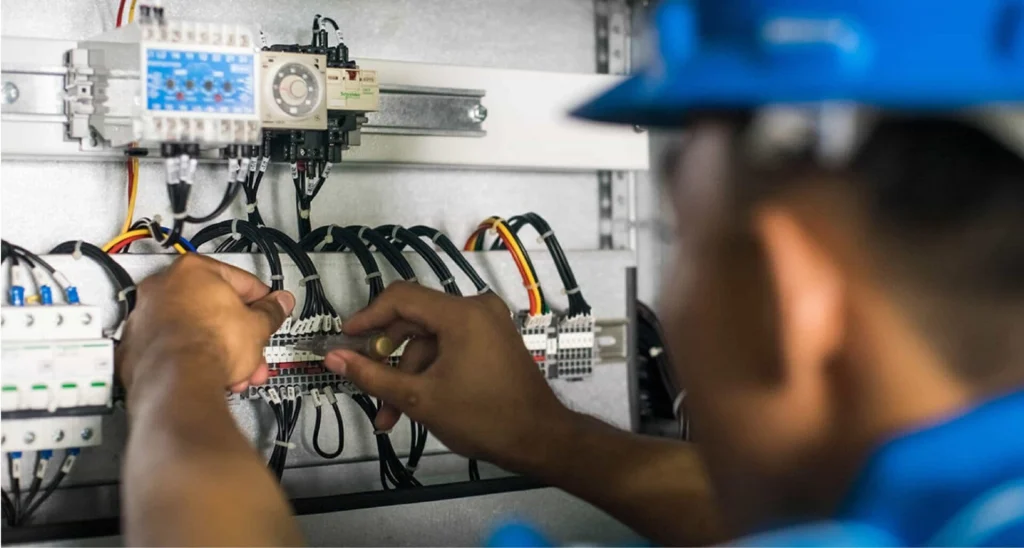
A data center move is not a furniture move with servers instead of desks. One mislabeled cable, one rack that shifts in transit, or one storage array that powers up in the wrong sequence can take a business-critical application offline for days. When the equipment you are moving runs payroll, customer transactions, or your entire phone system, the margin for error is close to zero. The good news: a relocation that is planned and executed with discipline is far less dramatic than most IT teams fear.
This guide walks through what a controlled data center relocation actually looks like, where projects go wrong, and how to protect your hardware, your data, and your uptime from the first inventory to the final post-move test.
Why Data Center Moves Carry More Risk Than a Standard Office Move
The hardware is fragile, heavy, and unforgiving. A populated server rack can weigh well over a thousand pounds, yet the spinning drives and connectors inside it are sensitive to vibration, static, and temperature swings. Beyond the physical risk, every device sits inside a web of dependencies: IP addresses, VLANs, storage paths, license keys tied to MAC addresses, and applications that expect their database to answer in milliseconds.
That combination is what makes these projects unique. You are not just transporting equipment; you are preserving a working system and rebuilding it somewhere else in the correct order. Treat the move as both a logistics problem and an IT problem, and you avoid the two most common failure modes: damaged hardware and a network that will not come back up.
What a Successful Data Center Relocation Actually Involves
Every clean move follows the same arc, even when the scale changes from a single server room to a full cage in a colocation facility.
1. A Complete, Verified Inventory
You cannot move what you have not documented. Before anything is unracked, capture every asset and how it connects:
- Every server, switch, firewall, storage array, and UPS, with make, model, serial number, and rack position
- Cable maps showing what plugs into what, photographed before disconnection
- Power requirements, including circuit types, voltage, and total draw per rack
- Application and dependency mapping so you know which systems must come up together
- Warranty, license, and support contract details that may need updating after the move
This inventory becomes the single source of truth for the entire project. It drives the labeling scheme, the transport plan, and the reconnection checklist on the other end.
2. A Migration Plan With Real Contingencies
A plan that only describes the happy path is not a plan. Decide the order in which systems power down and come back up, who signs off at each gate, and exactly what happens if a piece of hardware fails to boot at the new site. Build in a rollback option for the most critical applications so a single hiccup does not strand the whole business. Schedule the physical move during your lowest-traffic window, and give yourself more time than the optimistic estimate.
3. Safe Decommission and Transport
This is where physical-move expertise earns its keep. Equipment should be powered down gracefully in the planned sequence, cables labeled to match the inventory, and components packed in anti-static, shock-absorbing materials rated for sensitive electronics. Heavy racks need proper lift equipment, secured loading, and an air-ride vehicle that controls vibration on the road. Chain of custody matters too: you should be able to account for every serialized asset at pickup, in transit, and at delivery.
4. Reinstallation in the Right Sequence
At the destination, racking and cabling follow the documentation in reverse. Power and cooling get verified before any device is energized. Then systems are brought online in dependency order: network and storage first, then the platforms that ride on top of them, then the applications your users actually touch. Bringing everything up at once is how teams end up chasing a problem they cannot isolate.
5. Structured Post-Move Testing
The move is not finished when the lights are on. It is finished when you have proven the environment works. Validate connectivity, confirm storage paths and backups, run application-level smoke tests, and check performance against the baseline you recorded before the move. Keep your team available through the first full business cycle so any latent issue surfaces while the right people are on hand to fix it.
Where Relocations Go Wrong
Most painful data center moves trace back to a handful of avoidable mistakes:
- Skipping the inventory. Undocumented cabling turns reconnection into guesswork and burns hours you do not have.
- Underestimating power and cooling at the new site. Confirm the destination can actually support your load before move day, not after.
- No clear sequencing. Powering systems up in the wrong order creates cascading failures that are hard to diagnose under pressure.
- Treating it as a pure IT task or a pure moving task. The two disciplines have to work from the same plan, or the handoff between them becomes the weak point.
- Thin contingency planning. Hope is not a recovery strategy when a critical array refuses to mount.
Why Specialized Movers Make the Difference
You can rent a truck and recruit volunteers for a conference room. You should not do that with the infrastructure your revenue depends on. A specialized relocation partner brings the right lift and transport equipment, anti-static handling, vibration-controlled vehicles, secure warehousing for staged or surplus gear, and crews who have unracked and reracked sensitive equipment many times before.
At Flood Brothers, that experience runs deep. We have managed complex commercial relocations since 1997 using our own trained, in-house crews rather than day labor, so the people handling your equipment are accountable to us and to you. With more than 500,000 square feet of secure warehousing and 24/7 availability, we can stage hardware, work overnight windows to protect your business hours, and keep your project moving on your timeline instead of ours.
Planning Your Move
Start earlier than feels necessary. Build the inventory, map the dependencies, validate the destination’s power and cooling, and align your IT team and your moving partner around one detailed plan with clear go and no-go gates. Do that work up front, and the physical move becomes the calm, predictable part of the project instead of the moment everyone dreads.
Ready to move your infrastructure without rolling the dice on downtime? Explore our data center relocation services or request a free project review. You can also reach our team directly at (866) 528-9137 to talk through your project.
Keep Reading

October 6, 2026
Server Room Relocation: A Practical Guide for Lean IT Teams
You do not need an enterprise migration team to move a server room well. You need a sequence, the right transport gear, and honest…
Read more →
April 14, 2025
IT Relocation Without the Downtime: How to Move Your Tech and Keep Business Running
Moving your servers and network is where most relocations go wrong. Here's how professional IT relocation services protect your data and keep downtime measured…
Read more →
December 4, 2024
Why Medical and Tech Equipment Needs Specialized Relocation
An MRI machine or a rack of production servers is not a desk. Here is why specialized relocation protects your equipment, your data, and…
Read more →Trusted by industry leaders
Enterprises that count on Flood Brothers
Your team demonstrated a level of urgency and attention to facility protection that I had not seen before.
We highly recommend Flood Brothers without reservation. They were on time, professional, and customer service-oriented.
We are very fortunate to have Flood Brothers as one of our partners, as they are willing to do whatever it takes to provide quality service.
Let's Plan Your Move
Ready to Move Without the Downtime?
Tell us about your project and timeline. We will build a plan around your business and send clear pricing, usually within one business day.